
20151012-20151013: First Person Camera Controls
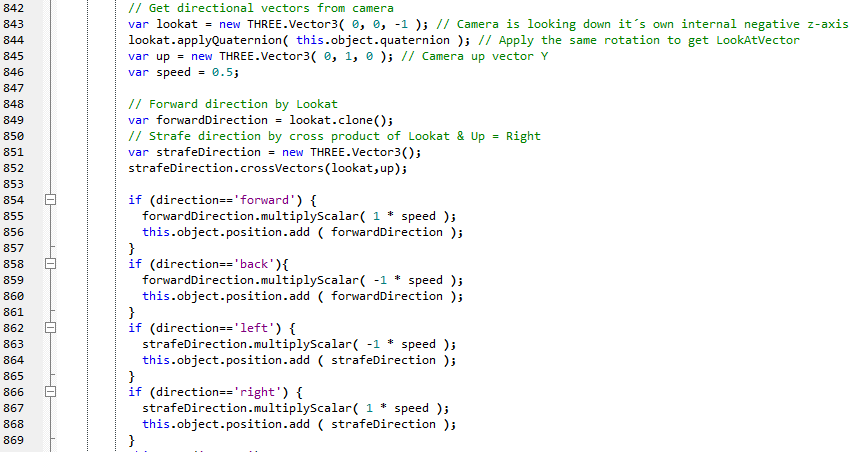
Added support for looking around with pointer and move like in a FPS-game.
Keyboard: WASD/Arrow-keys move the camera forward/back/left/right.
Mouse: When this camera-mode is turned on, pointer position delta will turn the camera around.
Touchscreen: A press in the center of the screen will move the camera forward while dragging/swipe will turn the camera around.
Features I will improve later:
* Mouse: A pointer-lock to enable endless movement with the mouse without pointer going out of the window.
20151014: Targets
I´ve optimized target-finding by replacing old messy code at which world-coordinates and display-coordinates were calculated back and forth just because the code had been moved from different places while writing. (Object > Display > Pointer > Object). Various arrangements.
20151015-20151018: Console
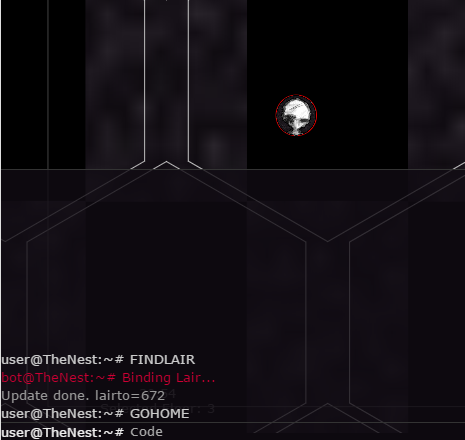
The console is updated and the §-key will toggle it´s visibility (like in the early versions of Quake that I played around 17 years ago).
It will take up 50% of the canvas height and I added a few commands:
GOHOME: Make the selected creature go to its lair.
FINDLAIR: Will attach a free lair to the selected creature, if there is any.
FINDME: Focus the camera at the selected object.
+ Some commands that’s already represented with editor-buttons like “KILLME”, “SPAWN”, “BUILD”.

 Toxic Tree